


In this guide, you will learn how to create a customer club with the earning type Points (fixed) in Customer Loyalty Center.
Denne type gør det muligt at tildele kunder et fast antal procentrabat, når de opfylder en bestemt betingelse – fx ved køb over et givent beløb. Det er en enkel måde at belønne dine kunder på uden brug af flere niveauer.
The wizard walks you through the setup so you can get your customer club up and running quickly.
Step 1 – Create integration
Go to: Integration → List integration. Then find Customer Loyalty Center and click Set up integration.
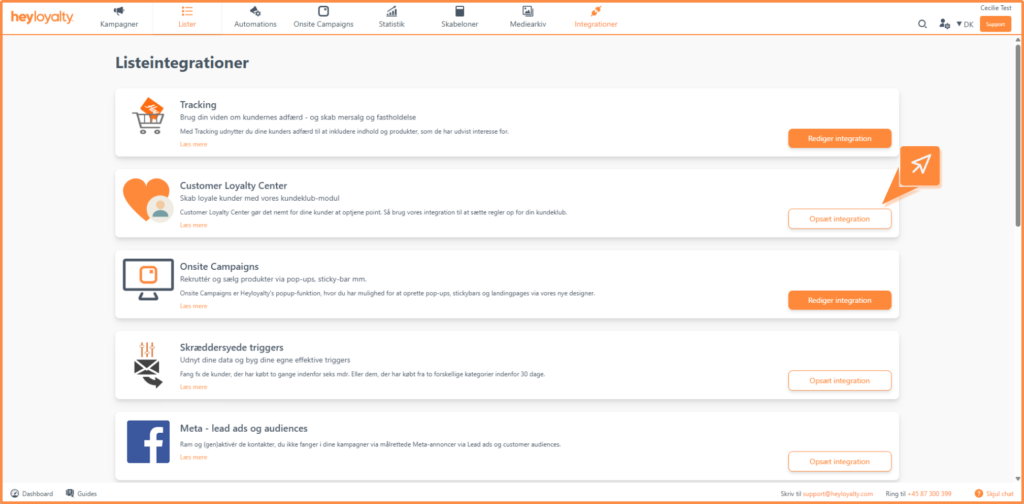
Then click Create Customer Loyalty Center.
When you first set up, you must accept the terms and conditions. This is done via a one-time code that is sent to your email.
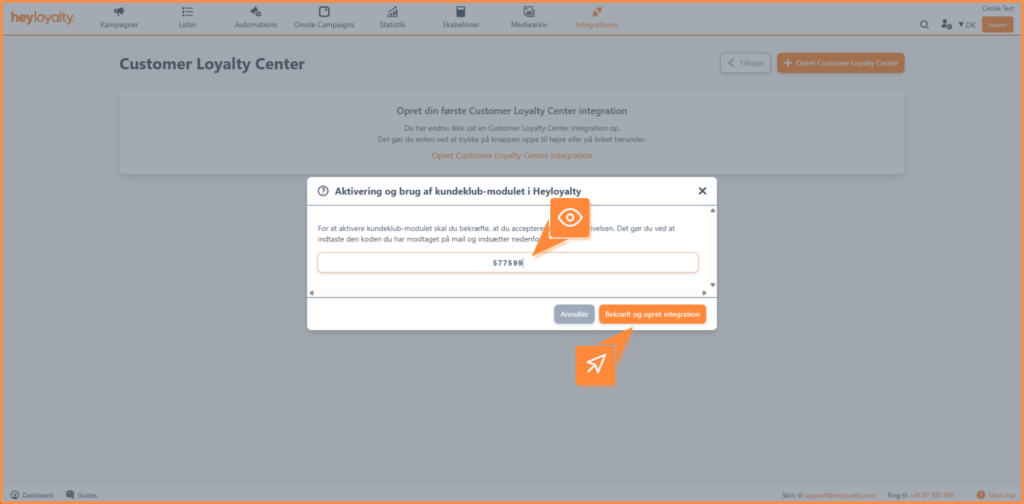
Step 2 – Set up the integration
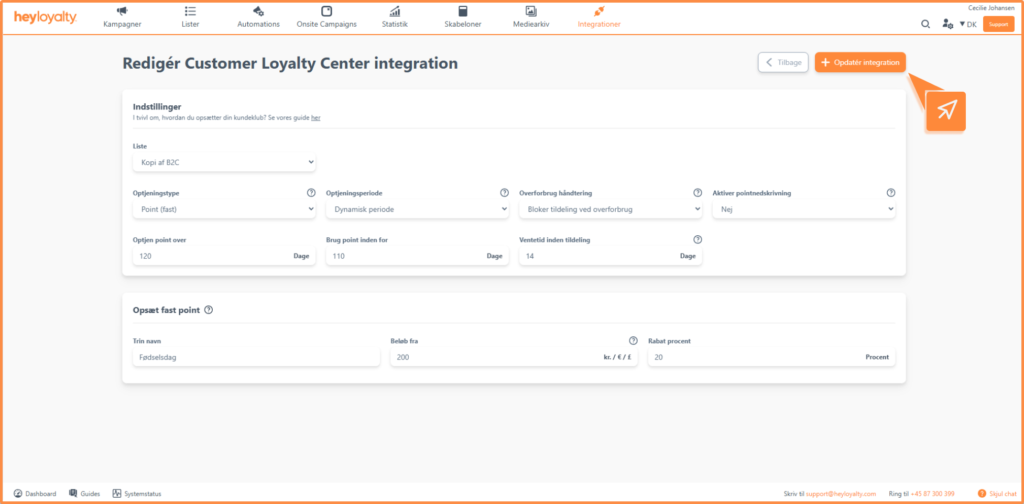
Once the integration is created, you need to set up the following:
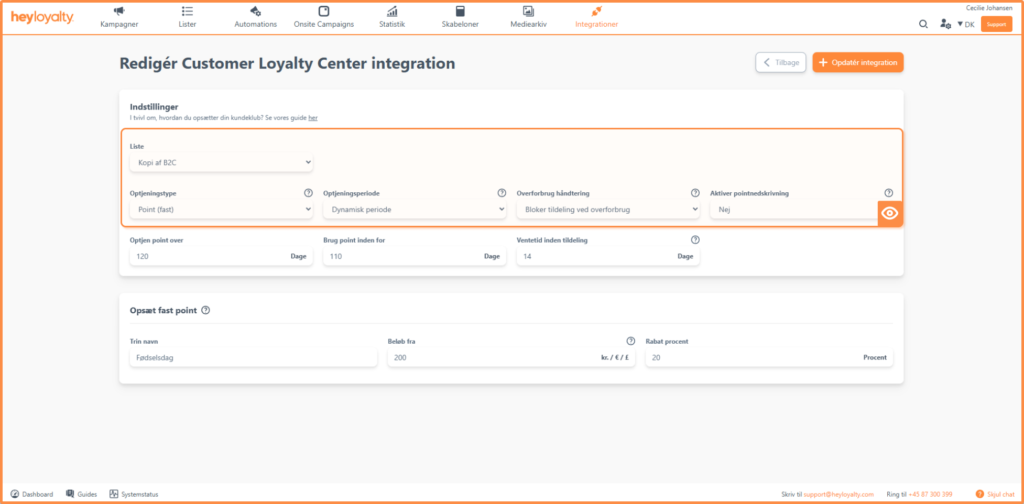
- List: Select the list that the customer club should be linked to. Only contacts on this list will earn points.
- Earning type: Select Point (fixed).
- Optjeningsperiode: Du kan vælge mellem:
- Fixed period: The period is fixed with start and end dates for both earning and using points. Systemet opdaterer automatisk årstal, når perioden udløber. Read more about the recommendation here.
- Dynamic period The period is calculated individually for each customer based on their activity. Read more about the settings here.
- Overforbrug håndtering: Vælg bloker tildeling ved overforbrug hvis du ikke vil tildele point til medlemmet, hvis de har brugt flere point end de har tilgængelig.
Vælge afregn først hvis nye point skal bruges til at udligne overforbruget og kun resten bliver tilgængelig point. - Aktiver pointnedskrivning: Her vælger kan du vælge mellem nedenstående:
- No: Points can ONLY be written down by the customer using our “removePoints” function via the API removePoints endpoint.
- Yes: Points can be written down if they are included in the tracking script or via CreateOrder endpoint.
Step 3 – Set up your rule
In this part, you define the rule that determines when customers earn points.
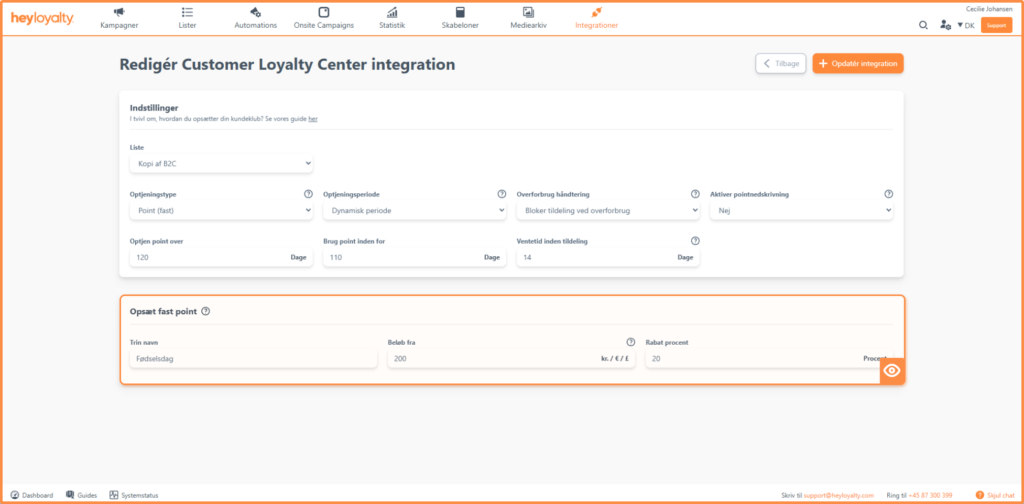
You need to fill in the following fields:
- Points name: The name of the rule – e.g. “Birthday points” or “Purchase over $X.”
- Amount from: The minimum amount the customer must purchase to earn points.
- Point optjent: Her indsætter du procentrabatten kunden skal have, i forbindelse med optjeningen.
Example- Points (fixed)
- Point name: Birthday Points
- Beløb fra: 200 kr
- Point optjent: 10 procent
I dette eksempel vil kunder optjene 10 procent rabat hver gang, de handler for over 200 kr.
Once you have set your rule, click Save integration.
Edit your setup
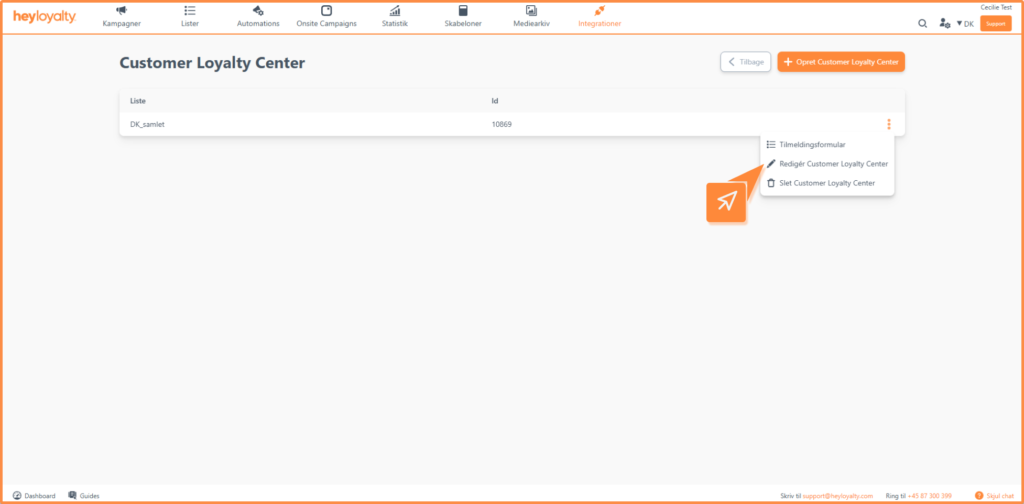
You can change your setup at any time. Click the three dots next to the integration and select Edit Customer Loyalty Center.
From here you can also delete the integration if needed.
Get started with your fixed points
You are now ready to use fixed points in your customer club. This setup is ideal if you want to set up a simple rule in your customer club.
For at få mest muligt ud af din løsning kan du bruge procentrabatten aktivt i dine kampagner og automatiserede flows – fx ved at informere kunder om deres rabat eller motivere dem til at handle igen.

Hvis du mangler information eller hjælp, som du ikke finder her på guide sitet, er du altid velkommen til at kontakte vores support!
support@heyloyalty.com / tlf. 87 300 399