


This guide shows you how to create an automation flow based on your Customer Loyalty integration in Heyloyalty. You will learn which triggers you can use to activate your automation flow in connection with your customer club. Additionally, the guide shows how to create a member action that assigns or manages points.
The guide helps you leverage your customer club data to create more relevant and automated customer experiences.
Creating automation flows
If you have a Customer Loyalty integration set up on your list, you will be able to create automation flows based on the data we receive in Heyloyalty.
Once the integration is active, there will be a new option to select a trigger for your flow.
How to create a new flow. Go to the menu item Automations –> create new automation –> select automation flow
Here you select a name for your flow and the list associated with your customer club. Once the list is selected, you will be given the option to select the Customer Loyalty Center trigger.
To see the different triggers, click Set trigger.
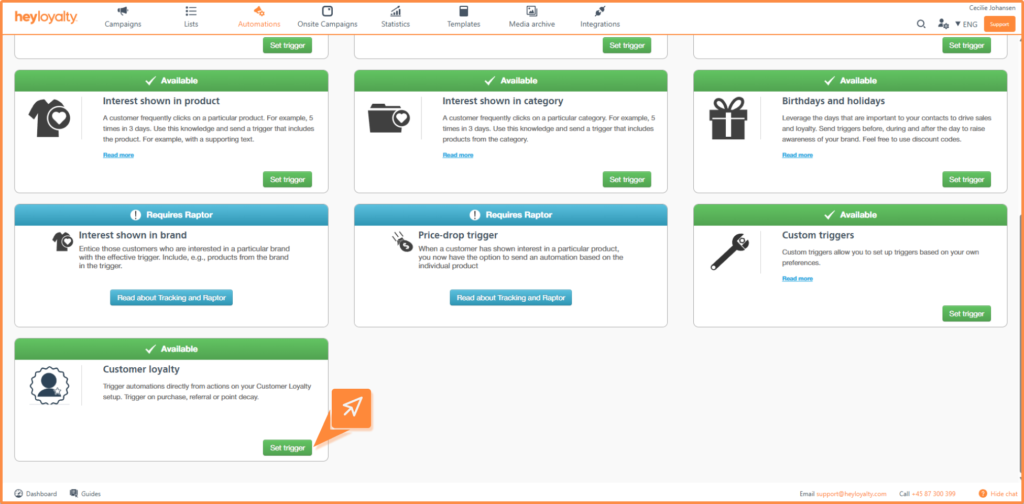
Trigger types
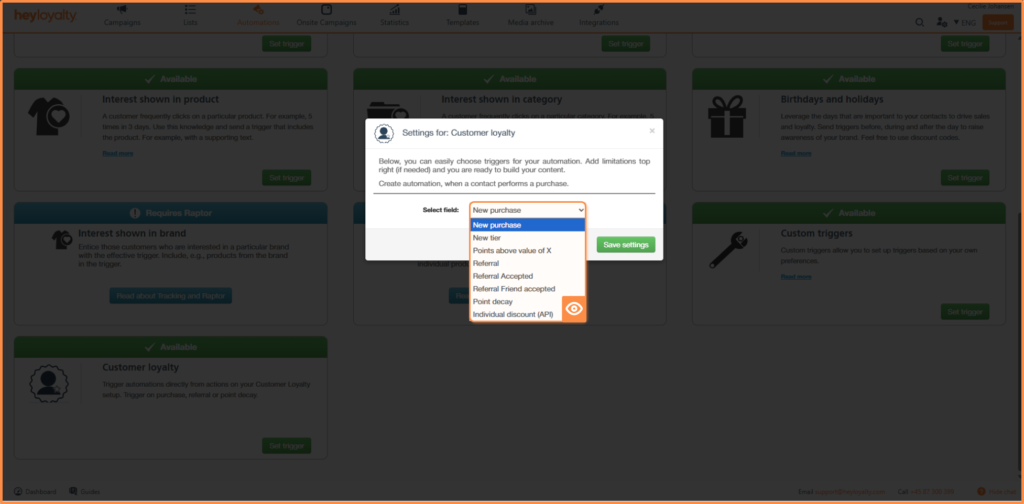
You can choose from the following trigger types:
- New purchase: Triggered when a contact completes a purchase with points or discount.
- New stage: Triggered when a contact moves up to a new stage in your customer club.
- Earn points higher than X: Here you set a limit. For example, it can be 200 points, if the switch then hits over 200 points the flow will trigger
- Recommend: Triggered when a contact refers a new person to the customer club.
- Recommendation approved: When a contact has approved a referral. The flow can be used to send a confirmation that they have signed up for the customer club.
- Friend has approved recommendation: Sent to the member who sent the original recommendation and acquired a new member for your customer club. With this trigger you can easily notify and attribute bonus points
- Bonus expires: Triggered when a contact’s points or discount is about to expire.
- New individual rabt (API): Triggered when points are attributed via API.
Once you’ve selected your trigger, click Save setting and then Next in the top right corner to set up your flow.
Member actions in your flow
When you have a Customer Loyalty integration, you get access to new member actions in your flow. To use them, you need to insert a member action in your flow.
Under select action you can choose: assign Customer Loyalty Points or assign Customer Loyalty Points
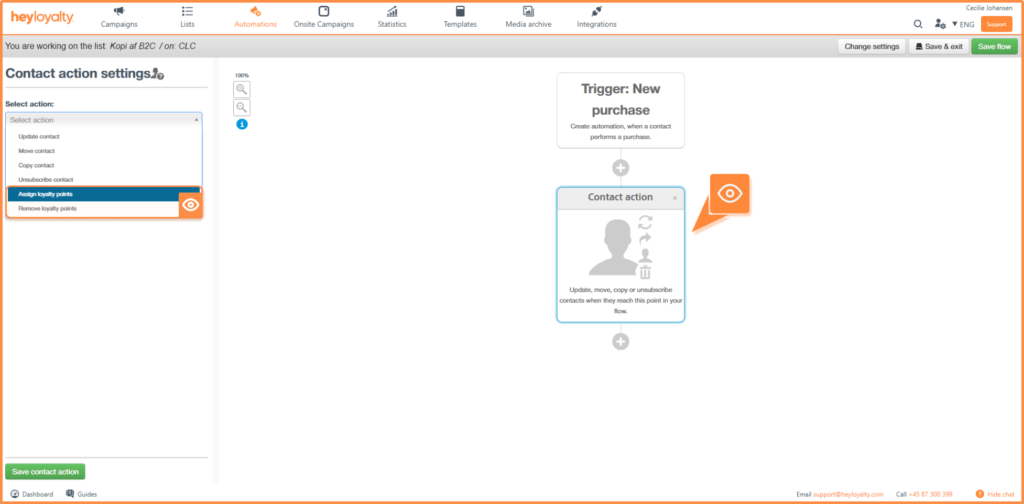
Selecting one of the options above will give you the options below:
- Point type tilgængelige eller tjente. Her kan du vælge mellem nedenstående indstillinger:
- Points available: Points awarded will be available for the contact to use immediately.
- Earned points: Points only become available after an earning period or waiting period
- Number of points awarded or removed: Specify how many points to award or remove from the switch.
- Action name: Give the action an internal name so that it is easy to identify in the flow.
Once you have set your preferences, click Save member action.
Unlock the potential of your customer club
By combining Customer Loyalty data with automated flows, you can create more personalized and relevant customer experiences. For example, you can reward loyal behavior, activate customers at the right time and strengthen the relationship with your customer club.
We recommend experimenting with different triggers and actions to find the flows that create the most value for your business and your customers.

Hvis du mangler information eller hjælp, som du ikke finder her på guide sitet, er du altid velkommen til at kontakte vores support!
support@heyloyalty.com / tlf. 87 300 399