


With segments, you can easily find the members in your customer club who comply with certain customer club rules. For example, you can segment members based on number of points earned, points available, purchases or on other Customer Loyalty data.
To make the segmentation apply to customer club members only, enable the Show Customer Loyalty members only option. Then you can build your rules with fields from the Customer Loyalty Center. See the guide below on how to do this.
How to create a Customer Loyalty segment
Step 1: Go to segmentation
You need to navigate to: Lists → Select list → Segmentation → Create new segment
If you can’t find segmentation, you can follow the first step in this guide.
Step 2: Activate Customer Loyalty members only
On the left side under the segment builder, check the box: Show Customer Loyalty members only
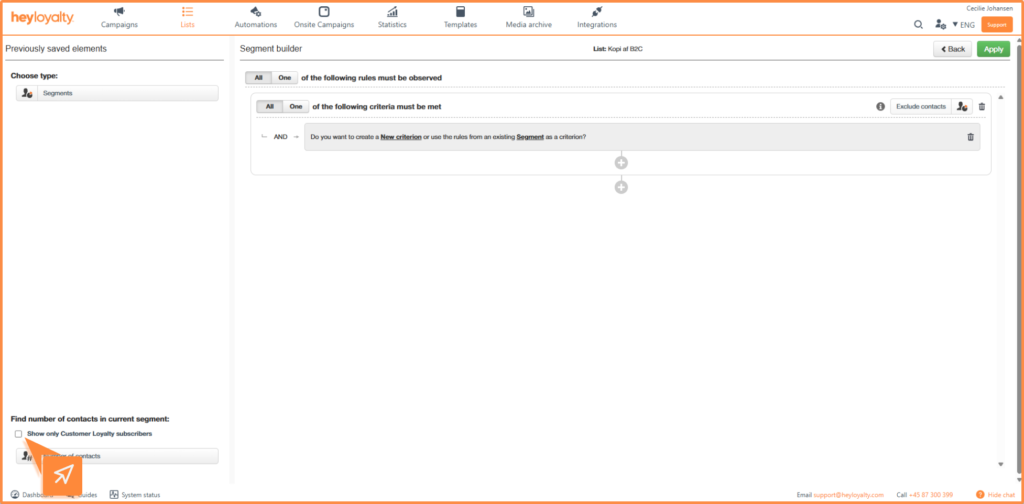
This ensures that the segment only works with members from the customer club.
Important:
Step 3: Create rules with Customer Loyalty Center
When checked, you can create your segment rules.
To segment on customer club members, use the field: Customer Loyalty Center
For example, you can segment on:
- Available points
- Points earned
- Next available points
- Number of orders
- Other loyalty-related values
See an example of segmentation below:
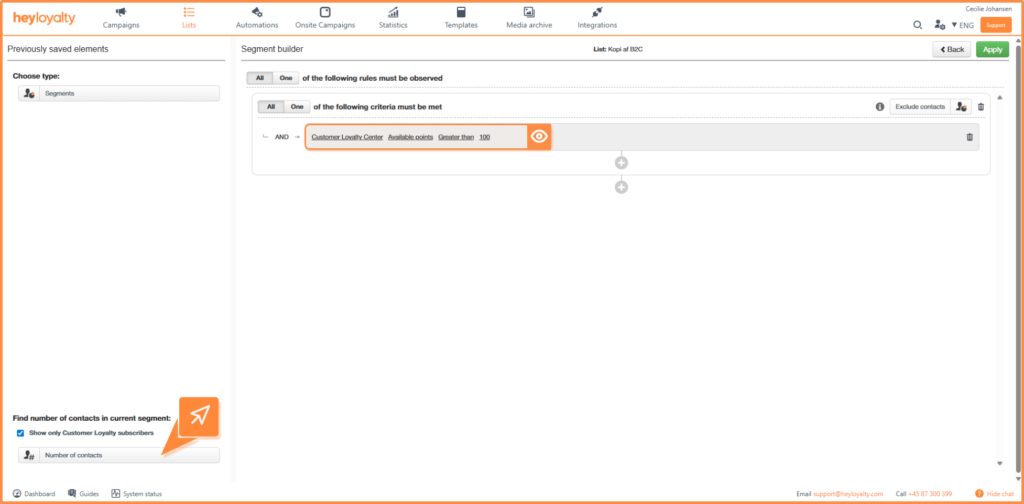
If you click on Number of contacts, you can see how many Customer loyalty members you find in the segment.
Step 4: Apply and save the segment
Click Apply in the top right corner.
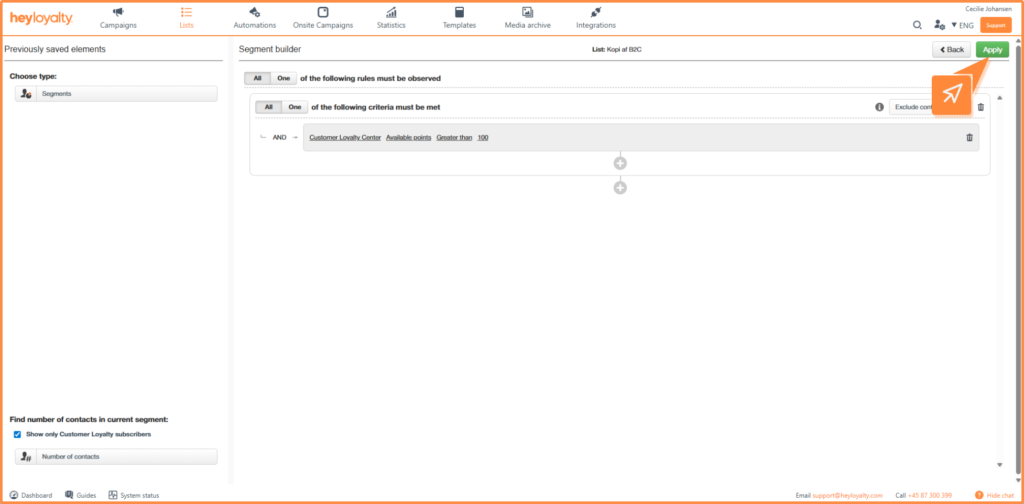
The system now shows all members who comply with the selected rules.
From here you can continue working with the segment or save it for later use. To save the segment, click Save. Give the segment a meaningful name so that it is easy to recognize later.
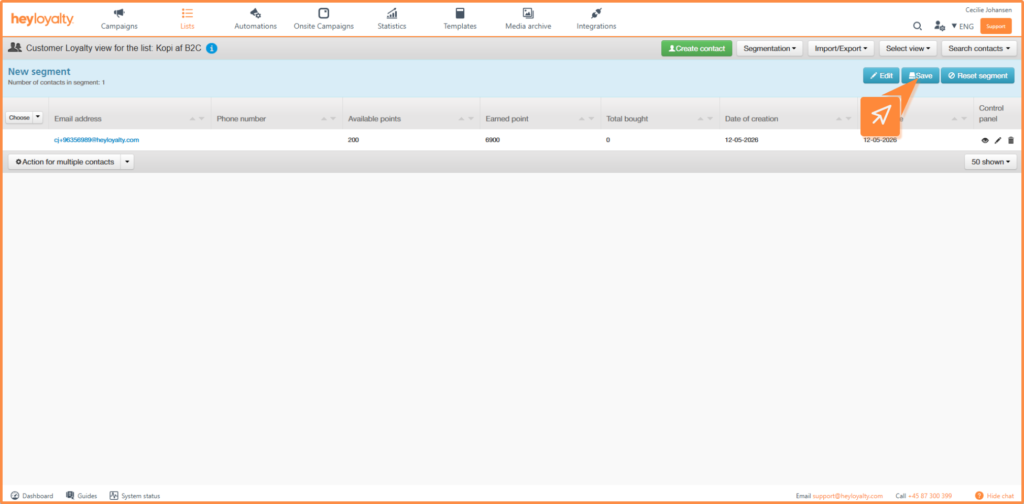
You are now ready to segment your customer club members
You have now created a Customer Loyalty segment that automatically finds the members of the customer club that comply with your chosen rules.
Segments can be used across Heyloyalty – both for targeted mailings and in automation flows where segmentation rules help ensure flows are sent to the right recipients.
By combining segmentation with Customer Loyalty data, you can easily target your communication and create more relevant experiences for your members.

Hvis du mangler information eller hjælp, som du ikke finder her på guide sitet, er du altid velkommen til at kontakte vores support!
support@heyloyalty.com / tlf. 87 300 399