


If you’re not satisfied with the overall look of your campaign and would therefore like to change the template, that’s no problem (of course, you’ll need to have multiple templates). If you’d like to change your template, click (•••) in the editor.
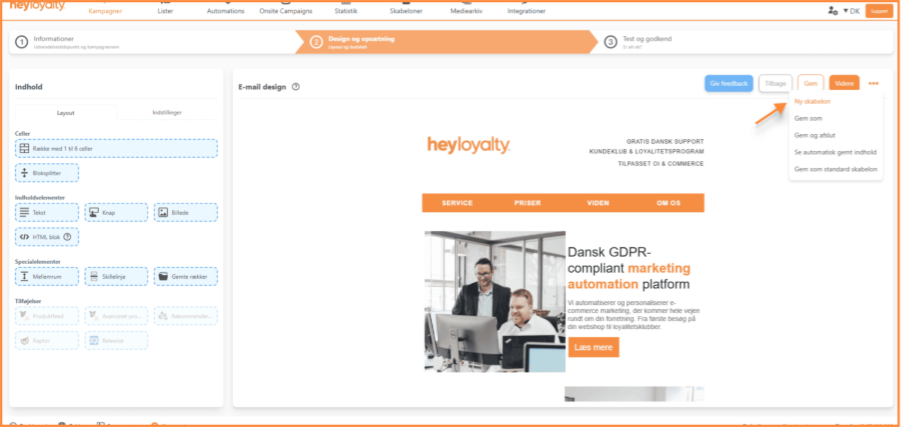
You will be taken to the previous screen where you select the template. Here, you can choose a new template for your campaign.
Select the new template here:
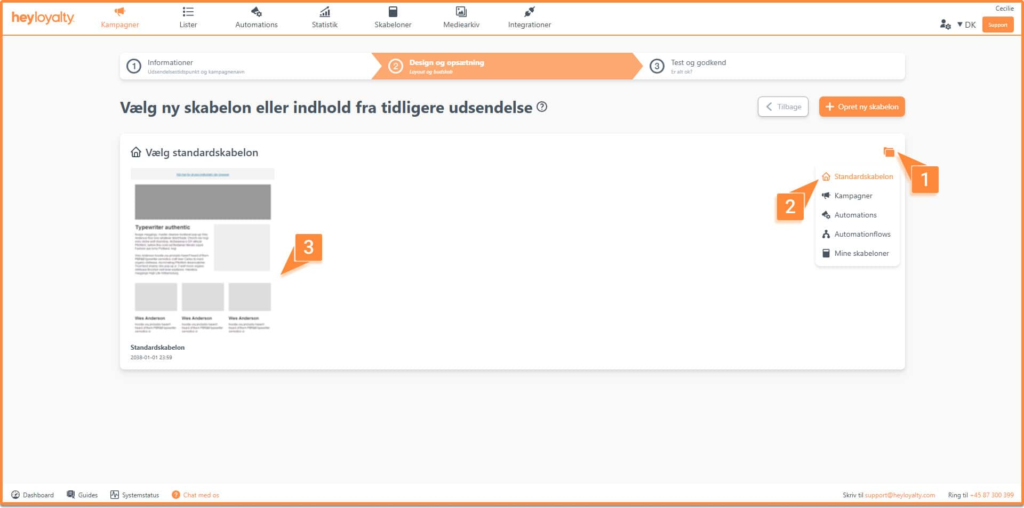
Once you’ve selected a template, you’ll return to step 2, where you can add content to your newsletter.

Hvis du mangler information eller hjælp, som du ikke finder her på guide sitet, er du altid velkommen til at kontakte vores support!
support@heyloyalty.com / tlf. 87 300 399