


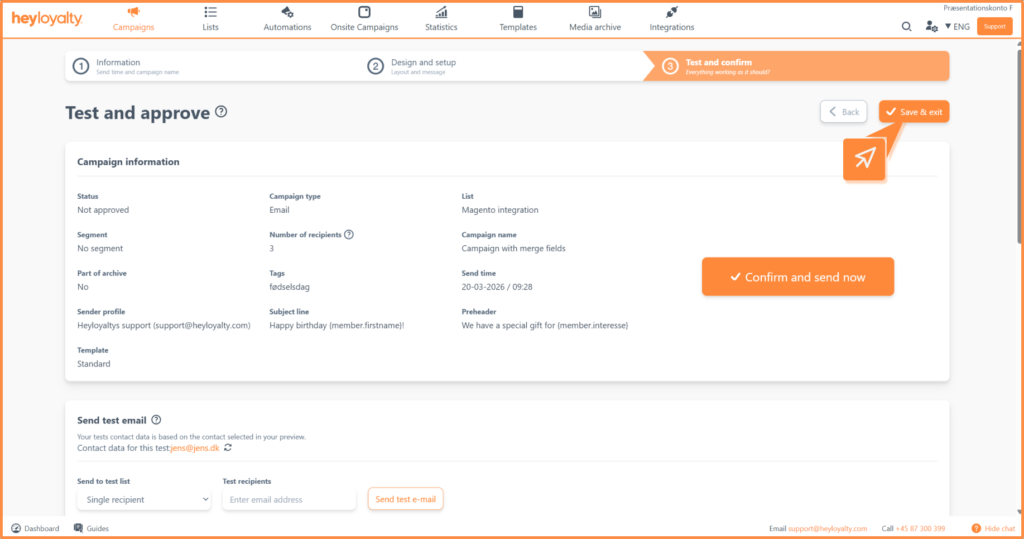
In Step 3, you ensure that your campaign is ready to send. Here you test the content and design, review how the campaign looks to the recipient and approve it for sending. This guide takes you through all the options in Step 3 – from testing to final approval.
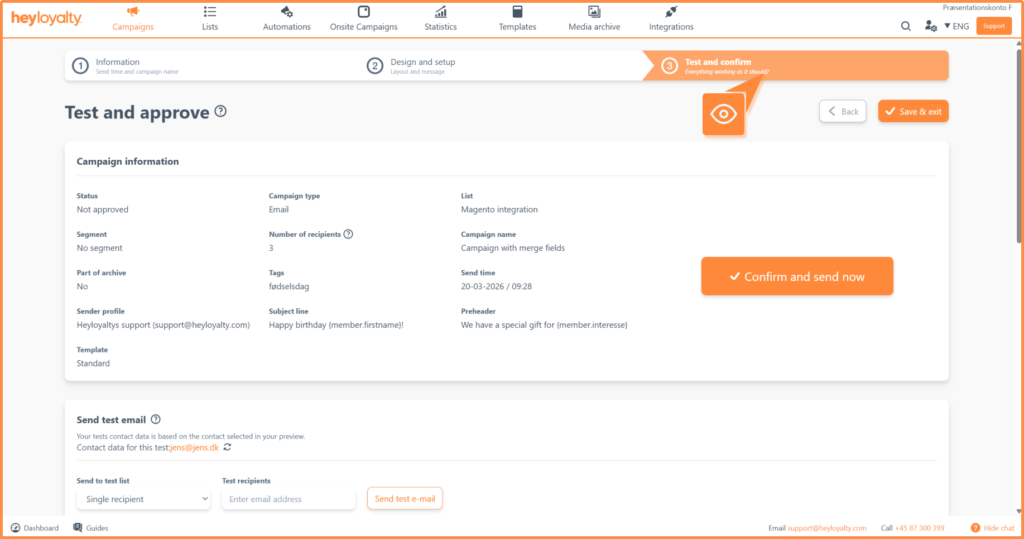
Step 1: Send test email/text message
We recommend that you always test your campaign on both content and design before sending it out.
You test the campaign by sending a test to yourself or others to approve the content.
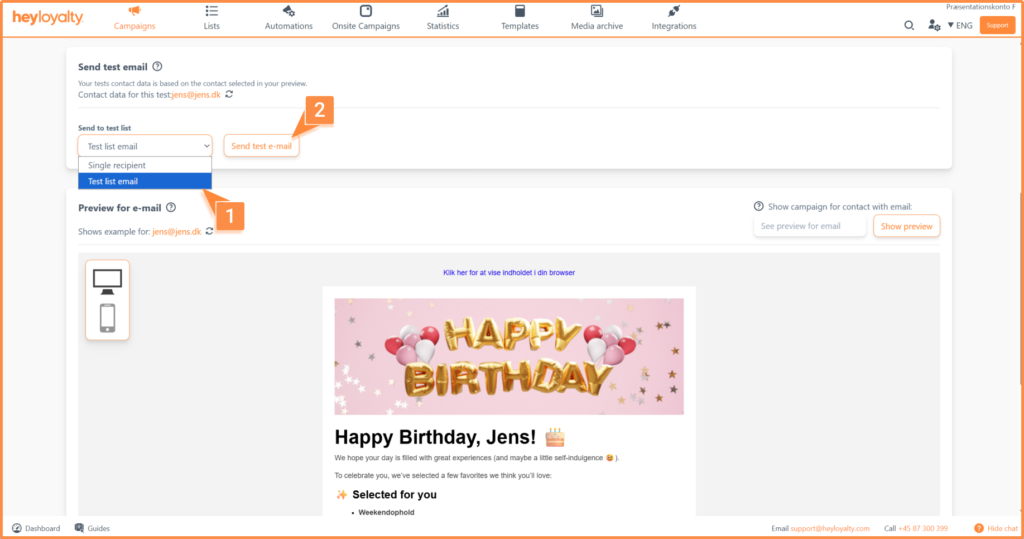
To send a test email, enter the email address in the field below:
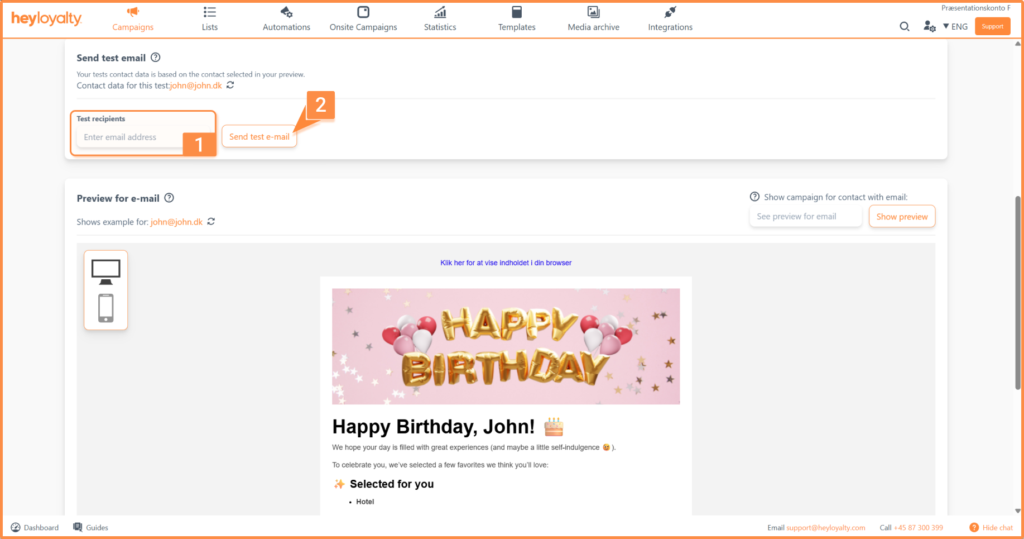
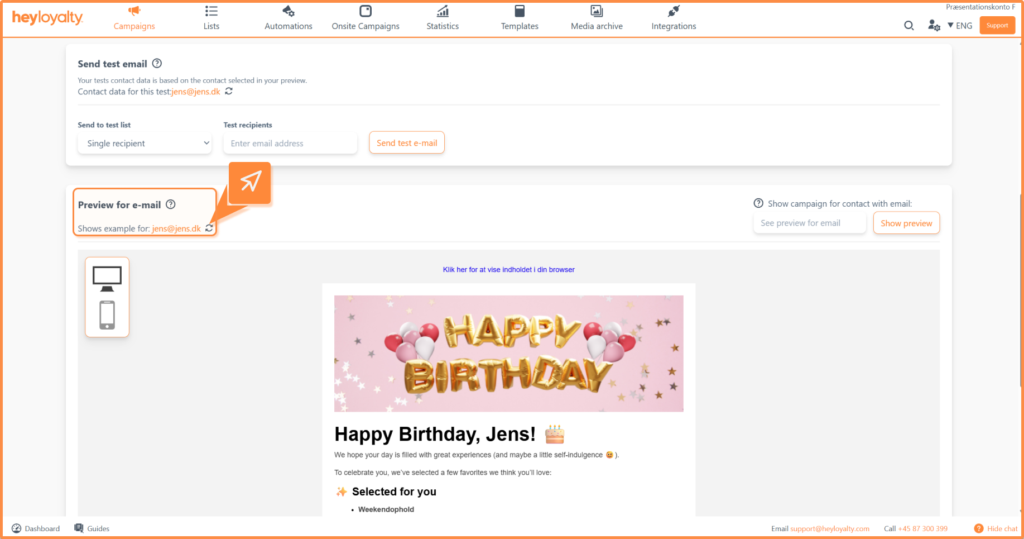
If you would like to test on another contact, tap the icon next to the email.
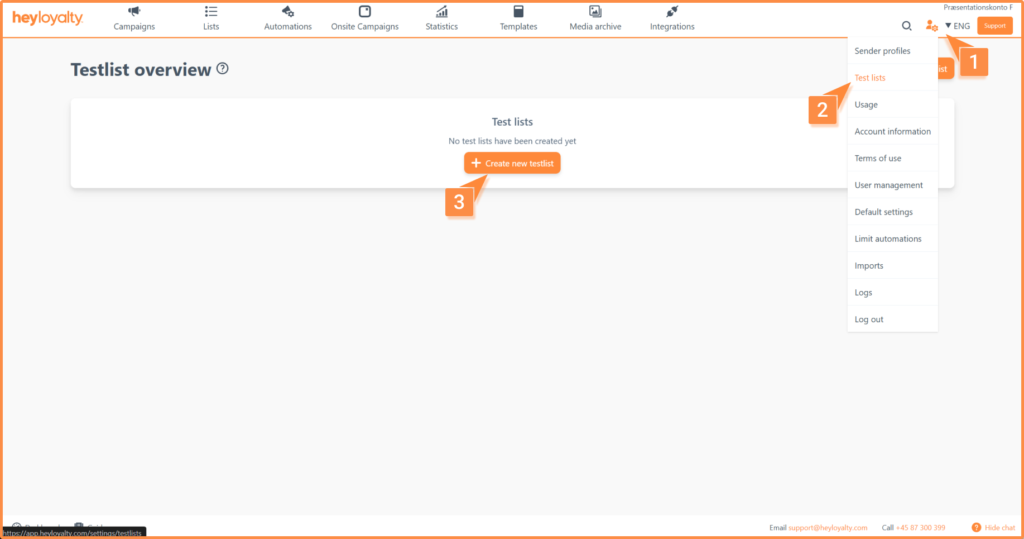
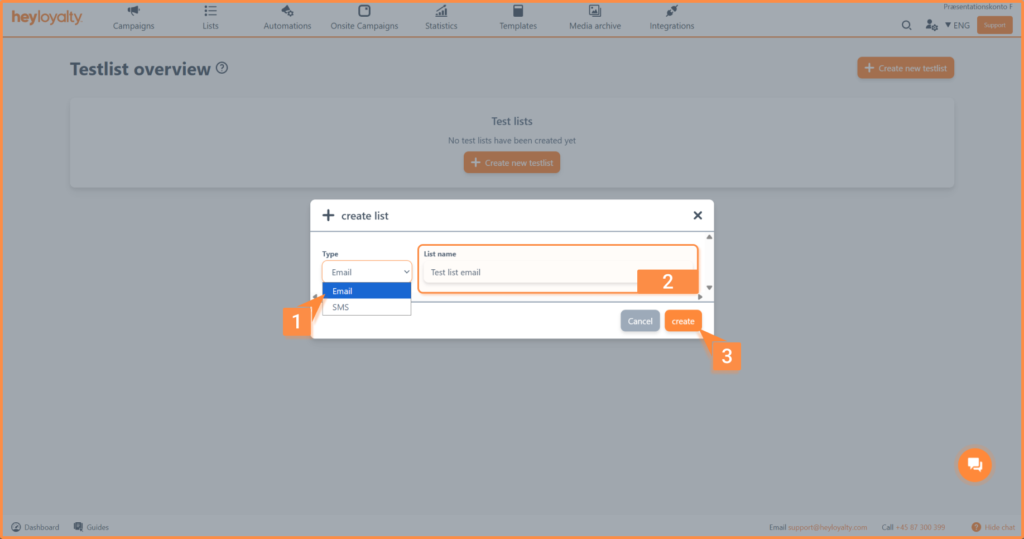
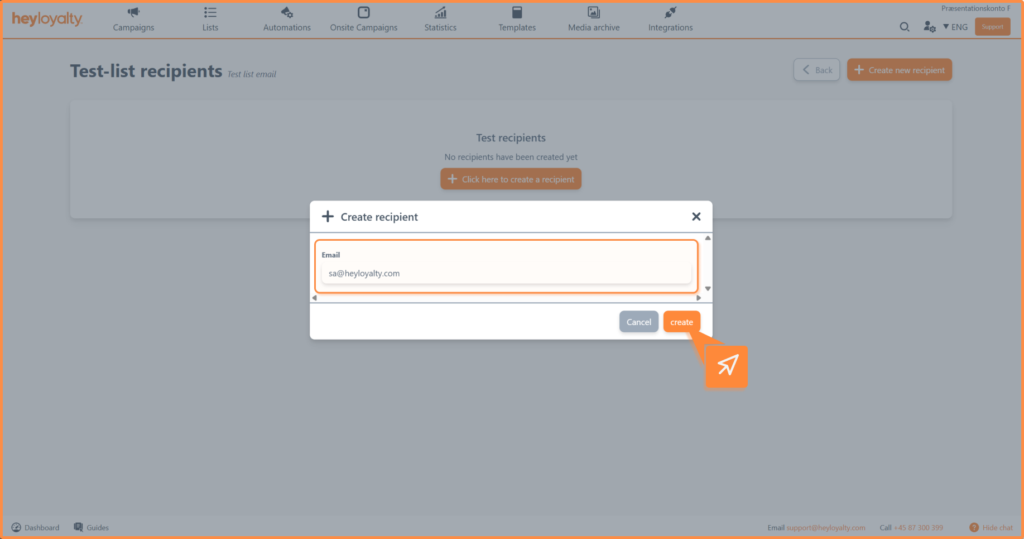
If you have regular test persons, you can create a test list so you can quickly test future campaigns. Create the test list under account and select test lists.
To send to the test list, select the test list name in step 3:
Step 2: Show member data as email
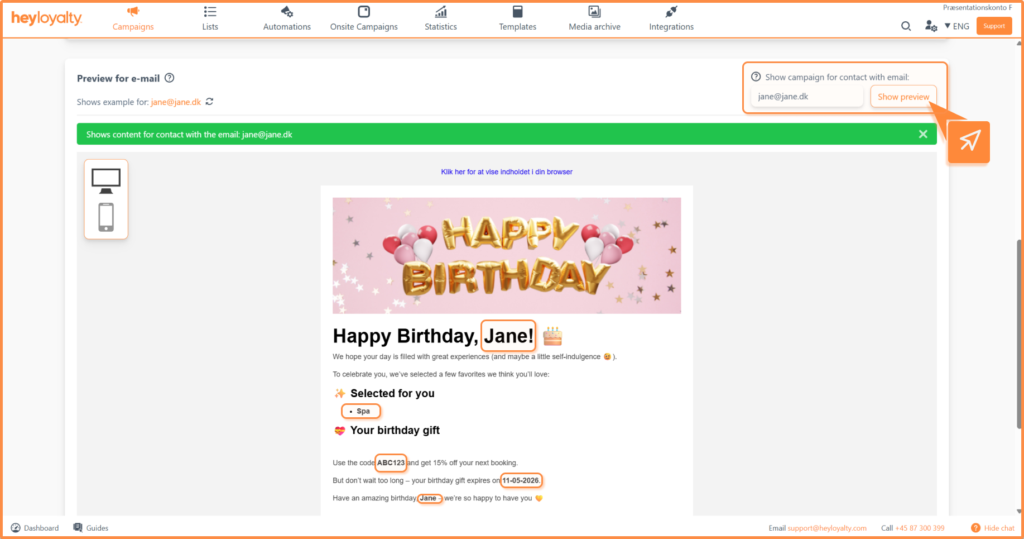
With the Show member data as email feature, you can preview the email as it will look for a specific member.
Enter the email address of the member you want to preview – for example brianeriksen@gmail.com for member Brian Eriksen. The member’s data is used in:
- Merge fields – so you see how personal information is merged in
- Rules on rows – so you see which elements the member actually sees
Step 4: See the look of your campaign
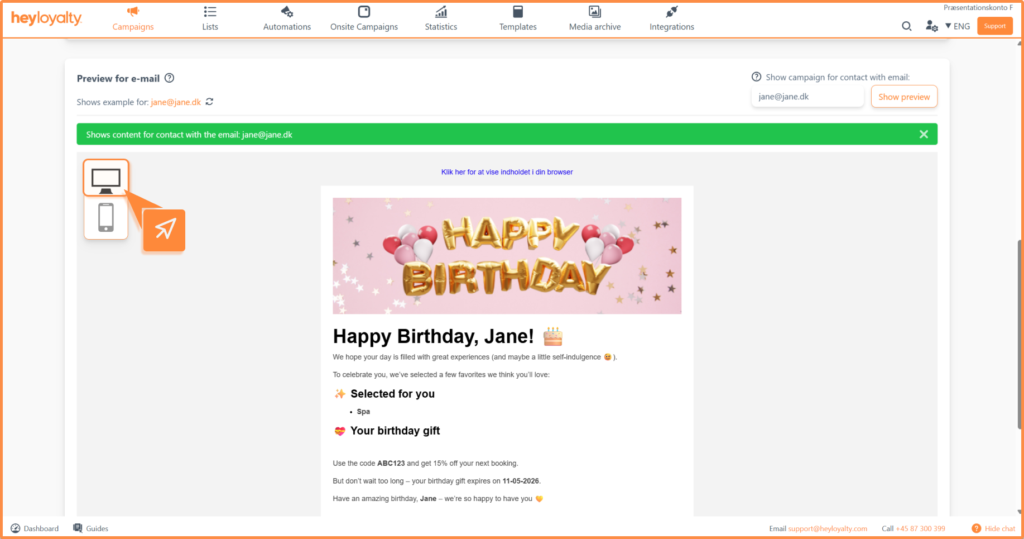
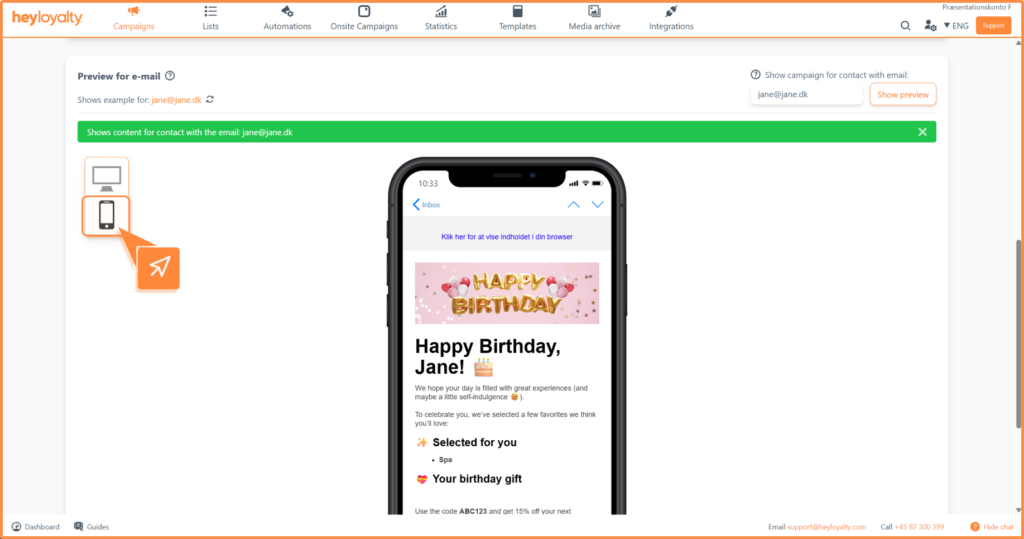
At the bottom of the page you can see how your campaign looks on desktop and mobile. Use this view to make sure the design and layout works on both devices.
Computer:
Mobile:
Step 5: Approve or approve and submit now
Once you’re happy with the campaign, you’re ready to approve it.
- Approve – Used if the campaign is set to be sent out at a later date.
- Approve and send now – Used if the campaign needs to be sent out immediately
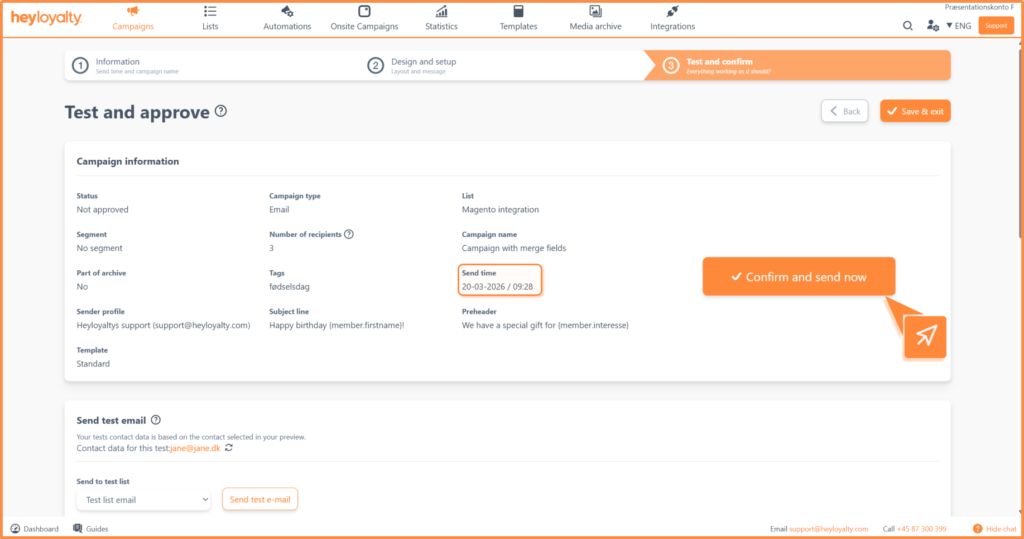
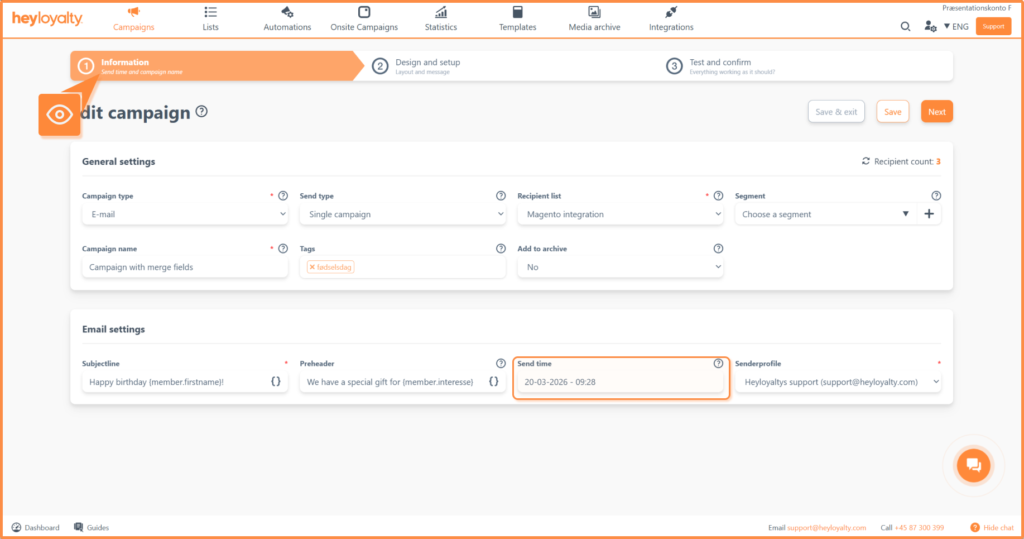
To change the broadcast time, go back to Step 1: Information and adjust the Broadcast time field.
Step 6: Save and exit
Can’t finish the campaign or don’t know when to send it out yet? You can always click Save and finish. This feature is available in all three steps, so you can return to the campaign later.
You are ready to send
You have now tested your campaign, checked its appearance on both desktop and mobile and approved it for sending. With the different testing options – from simple test emails to extended testing across email clients – you can ensure your recipients have a flawless experience.
For more advice on setting up and sending campaigns, you are always welcome to contact us.