

Changing the template
If you regret the overall look of your campaign and therefore want to change the template, it’s not a problem (you must, of course, have multiple templates). If you would like to change your template, click on (•••) in the editor.
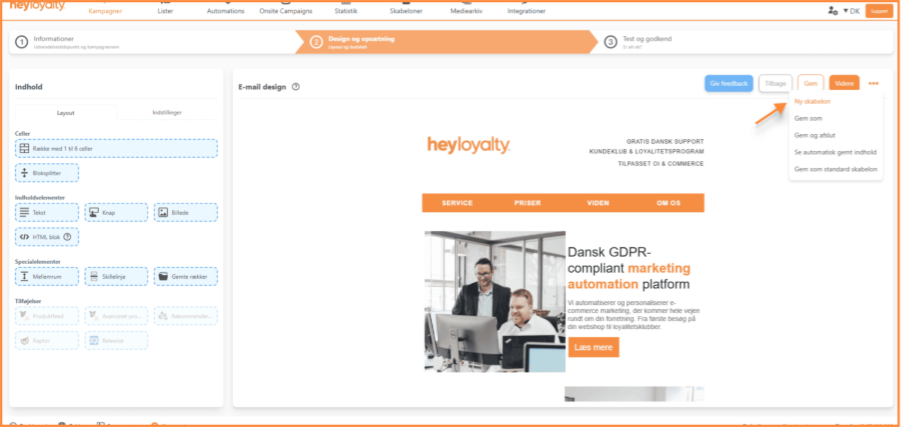
You will be taken to the step where the template is selected. Here you have the option to choose a new template for your campaign.
However, if you choose a template from the folders: Campaigns or Automation flows, all existing content will be overwritten.
Your introduction – what should the user go through in this guide, for what value.

If you need information or help that you cannot find here on the guide site, you are always welcome to contact our support!
support@heyloyalty.com / tel. 87 300 399