Retail Center

Contents

    Retail Center

    With Retail Center you can create individual stores with all its different information and contact information. After you have created a store, the store will appear as an option in the Store field on your list. This allows your customers to

    In addition, you can also merge store-specific information into any campaign or automation you make. For example, it can be a picture of the store’s facade, the specific store’s opening hours, address and/or phone number. You can also use the store manager as the sender and use a picture of this person, as well as contact information or a generic greeting from that person, so that each email sent to your customers has a more local touch.

    Each store will also have an administrator and a user, so that a manager for each store can log in to the Retail Center in Heyloyalty and see the members who have chosen to connect to the specific store. For more information, contact Heyloyalty support at support@heyloyalty.com.

    Create Retail Center in a list

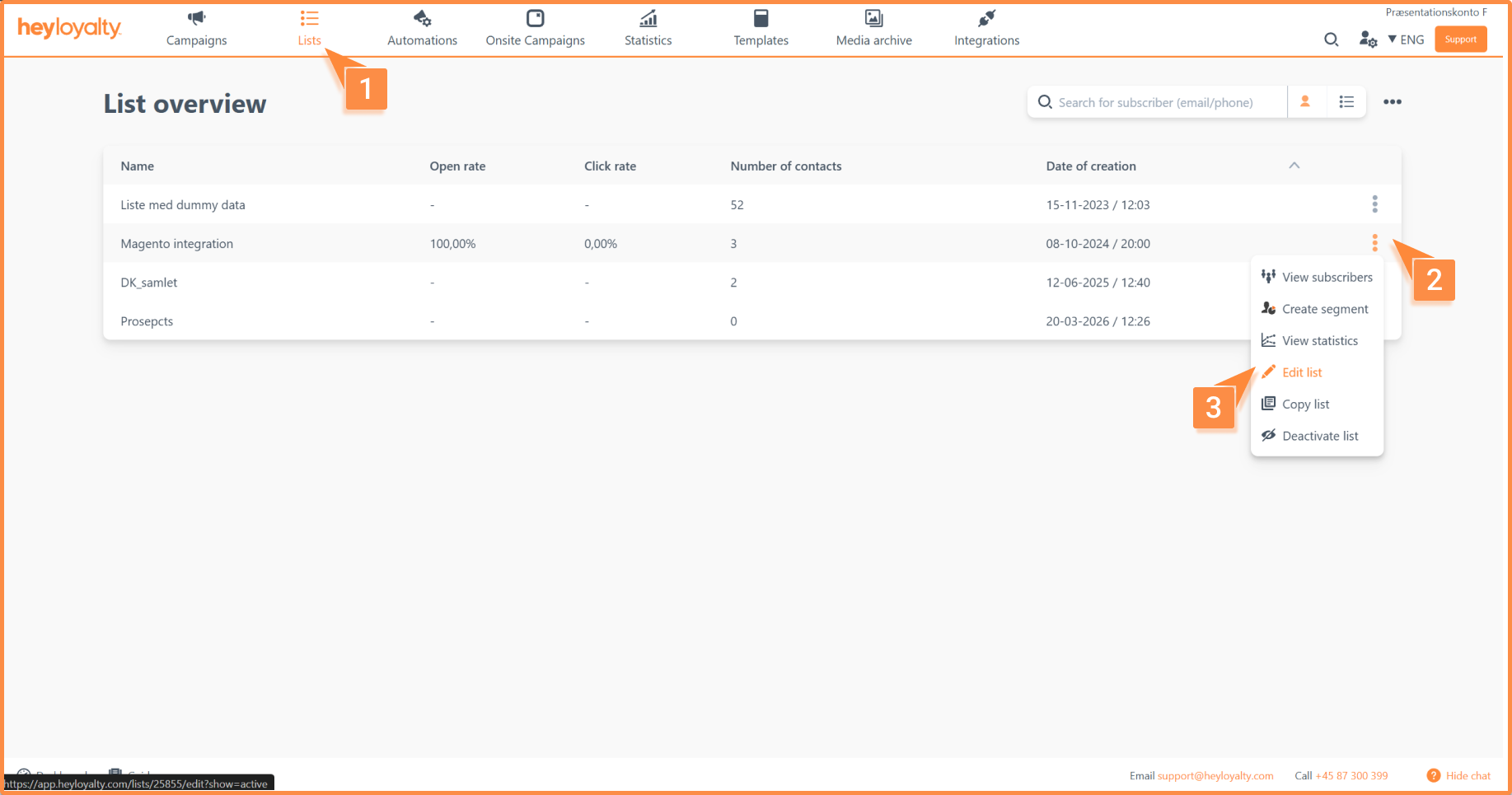
    Click Lists –> ⁝ –> Edit list -> Select default fields –> Retail Center
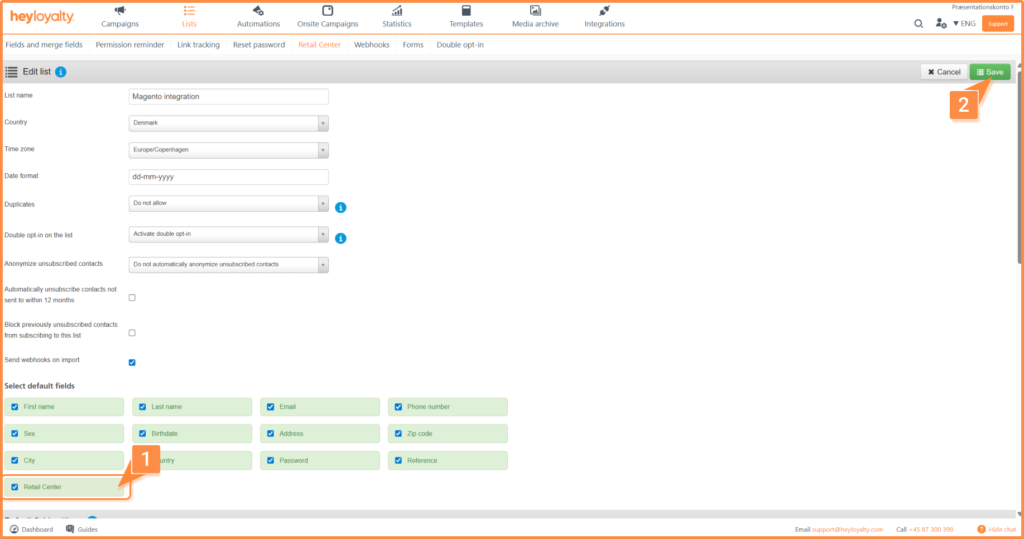
    Make sure that the Retail Center field is checked. Click Save.
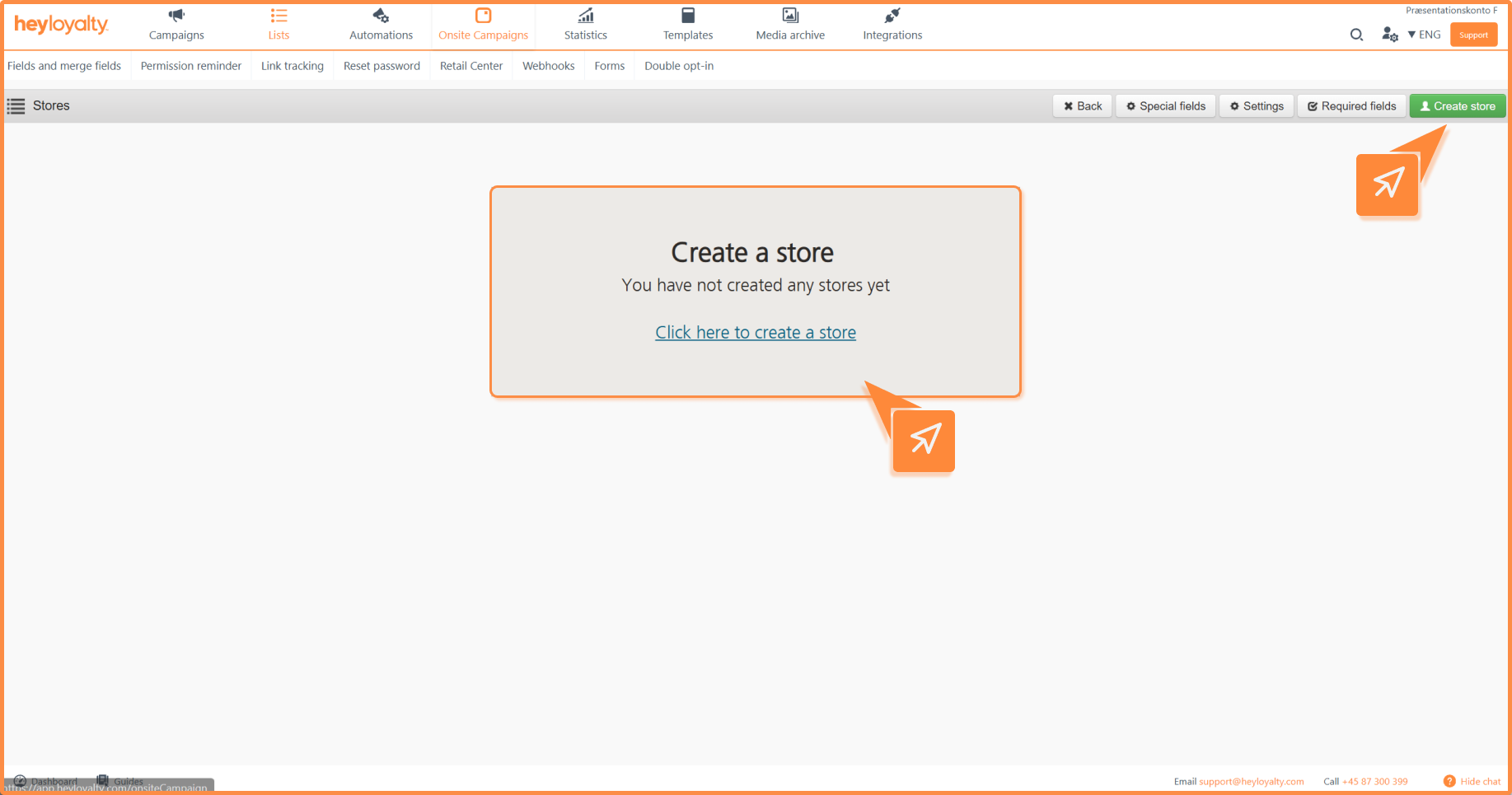
    Create a store in Retail Center

    Click Lists –> ⁝ –> Edit List –> Retail Center –> Create Store
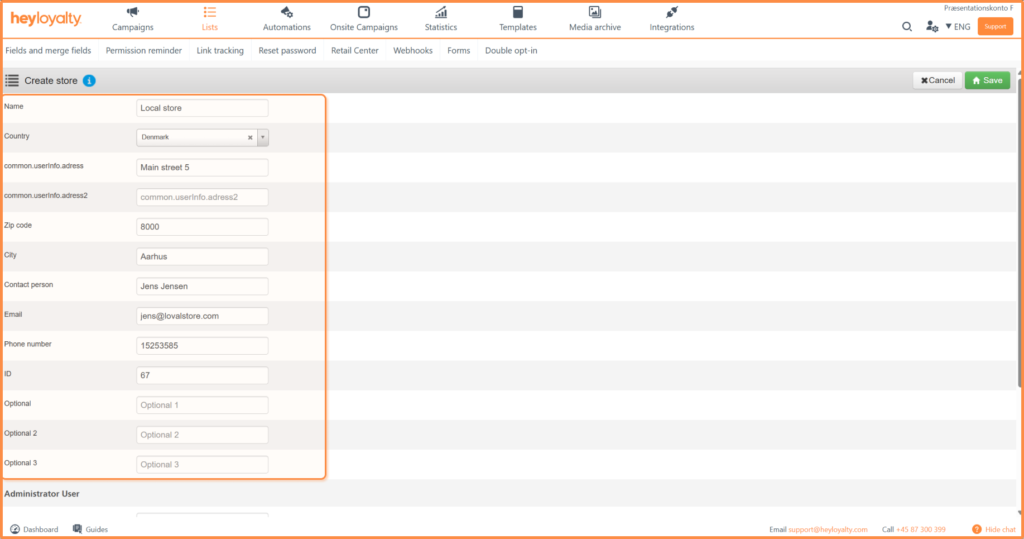
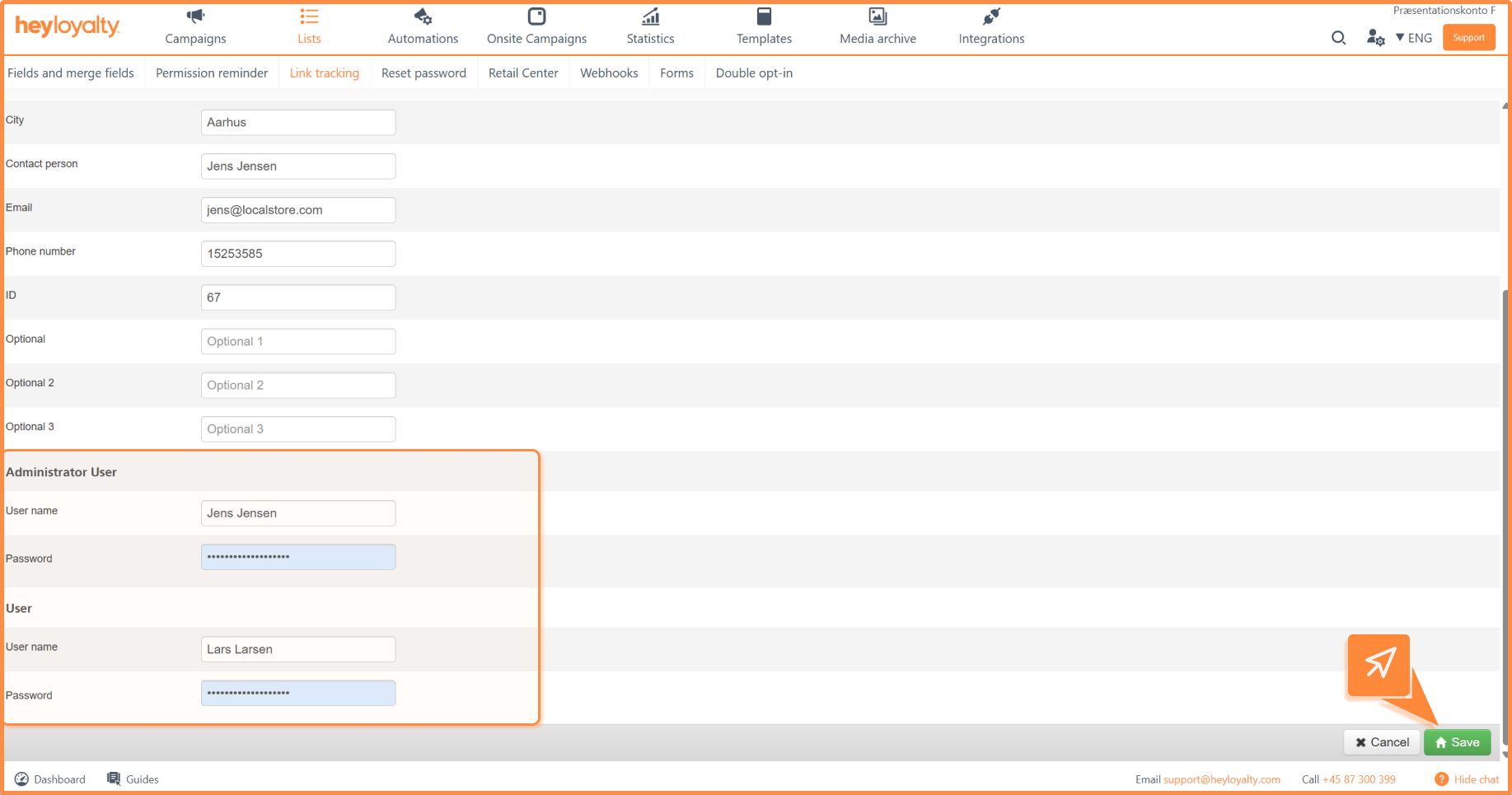
    Fill in the information on the store.
    Each store has an administrator and a user, so each store can log in to Retail Center in Heyloyalty and see the members who have chosen that specific store as their preferred store.

    It is up to you whether the stores should have these credentials or not, as to control everything from the headquarters. In the latter case you can just type in something simple that is easy to remember for yourself.

    However, information about both the administrator and the user must be filled in before you can move on and click Save to save the store.
    You can merge information from the store into any campaign or automation. You do this with merge fields.

    Tip: See more about merge fields here


    If you need information or help that you cannot find here on the guide site, you are always welcome to contact our support!
    support@heyloyalty.com / tel. 87 300 399