


In this guide, you will get a basic understanding of how you can view loyalty data on your customer club members.
We’ll also go through what changes in the contact list when you connect a Customer Loyalty Center integration to your list.
Contact overview
When you have a Customer Loyalty Center integration connected to your list, the layout of the contact page will change. This is because the module adds extra data and functionality to your contacts.
When the customer club module is activated, members in the contact overview get an extra tab where you can access loyalty data based on their membership.
This means that the view goes from only showing newsletter data → to also include customer club and points data.
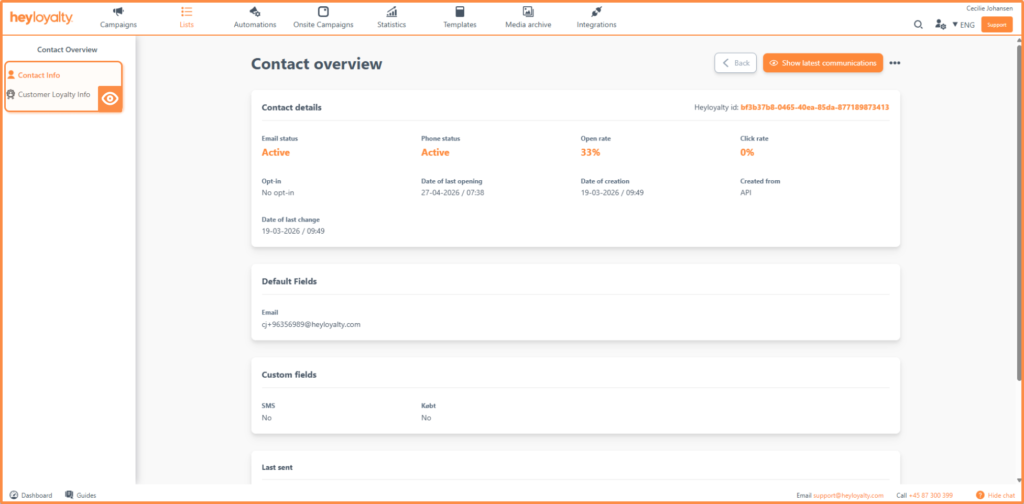
In the image above, you can see that a left menu has been added with an extra item: “Customer Loyalty info”. This menu allows you to switch between regular contact info and loyalty data.
Customer Loyalty overview
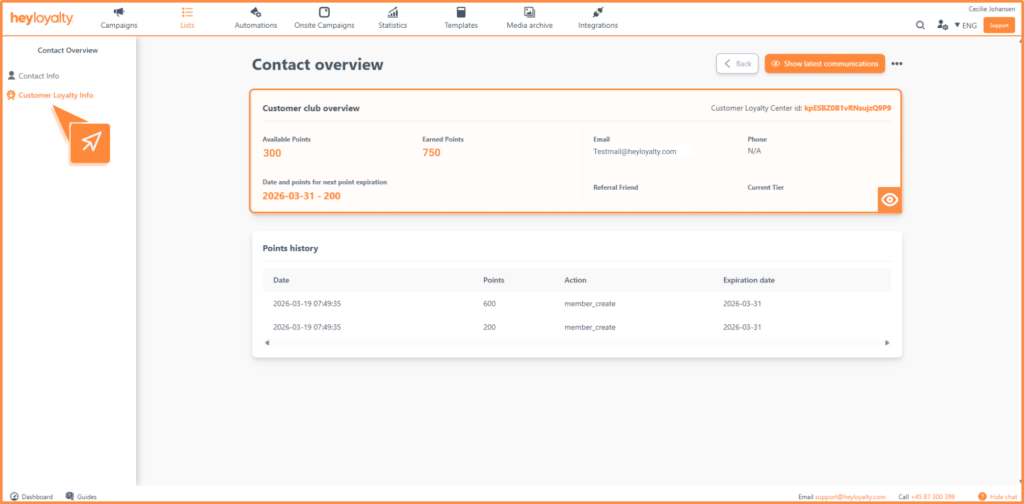
Under Customer Loyalty info you get access to the following data:
- Customer Loyalty Center ID: This ID is different from the Heyloyalty ID and allows contact data to be separated from loyalty data.
- Available points: The number of points the member can use right now.
- Earned points: Points that the member has earned but cannot yet use.
- Date and points for next points expiration: Shows when the next points expire and how many points are involved.
- Referral friend: Shows if the member has been referred by another member.
- Current level: The member’s current level in the customer club.
Point history
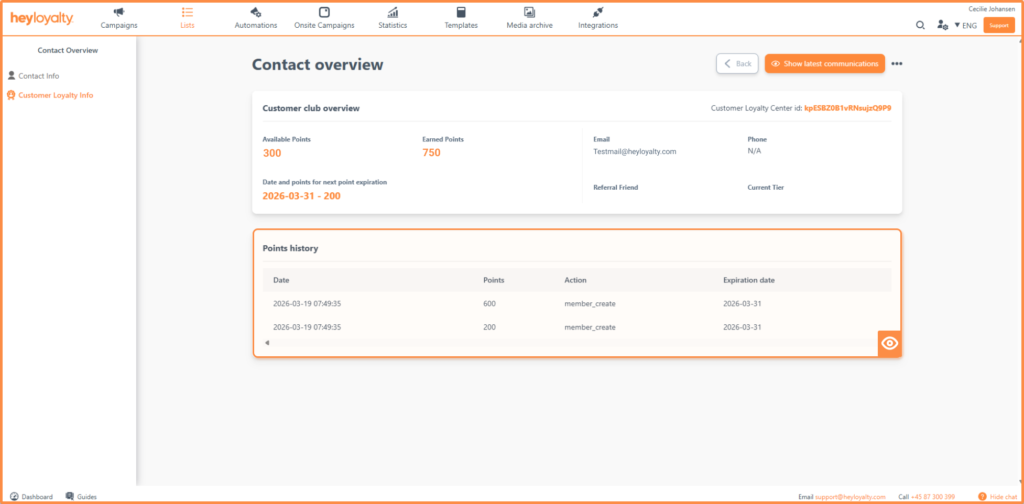
Under Point history, you can see an overview of the member’s point activity.
Here it appears:
- When points have been awarded
- How many points are given
- Which action has caused points to be awarded
- When the points expire
Overview of customer club members
If you want a complete overview of your customer club members, go to lists –> select list –> select view –> view Customer Loyalty Center
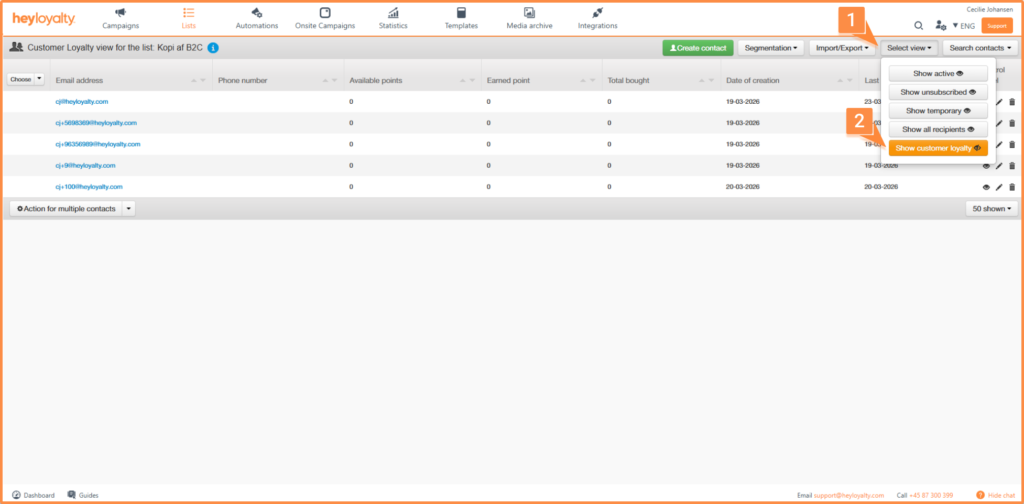
When you select this view, you get an overview of all members who are either part of – or have previously been part of – your customer club.
Gain insight into your customer club members with Customer Loyalty
The Customer Loyalty module gives you a much more detailed insight into your contacts by combining classic newsletter data with loyalty data. You can also get more customer club members by using our Customer Loyalty form – read here how to set it up.
This means you can see not only how your contacts interact with your campaigns, but also how they engage with your customer club – including their points, level and history.
With this expanded insight, you’ll have a stronger foundation to target your communication and create more relevant and valuable customer experiences.

Hvis du mangler information eller hjælp, som du ikke finder her på guide sitet, er du altid velkommen til at kontakte vores support!
support@heyloyalty.com / tlf. 87 300 399