


In this guide, we’ll walk you through how to set up a customer club with the External Points Sharing (API) earning type in Customer Loyalty Center.
This setup is used when your customers’ points are handled in an external system and you want to send these points/discounts to Heyloyalty. In addition, points write-offs are also sent to Heyloyalty. This way you can use points data in your emails, segmentation and automated flows.
The wizard will help you create the integration and configure the necessary settings.
Step 1 – Create integration
Go to: Integration → List integration. Find Customer Loyalty Center and click Set up integration.
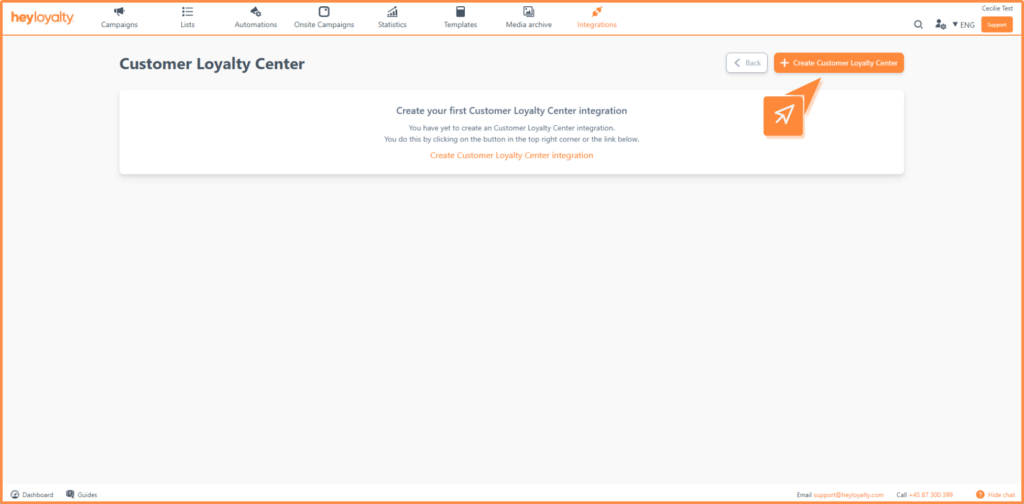
Then click Create Customer Loyalty Center.
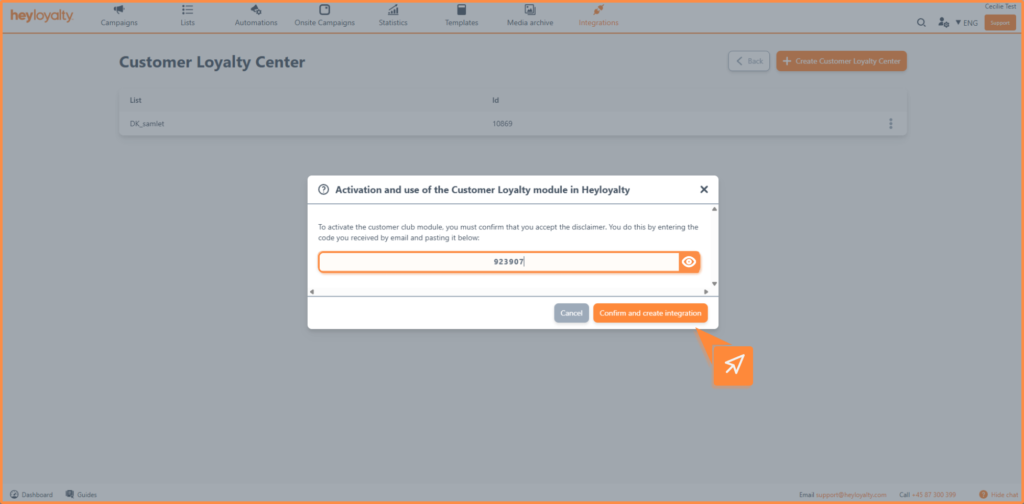
The first time you set up the integration, you need to accept the terms and conditions via a one-time code sent to your email.
Step 2 – Configure the integration
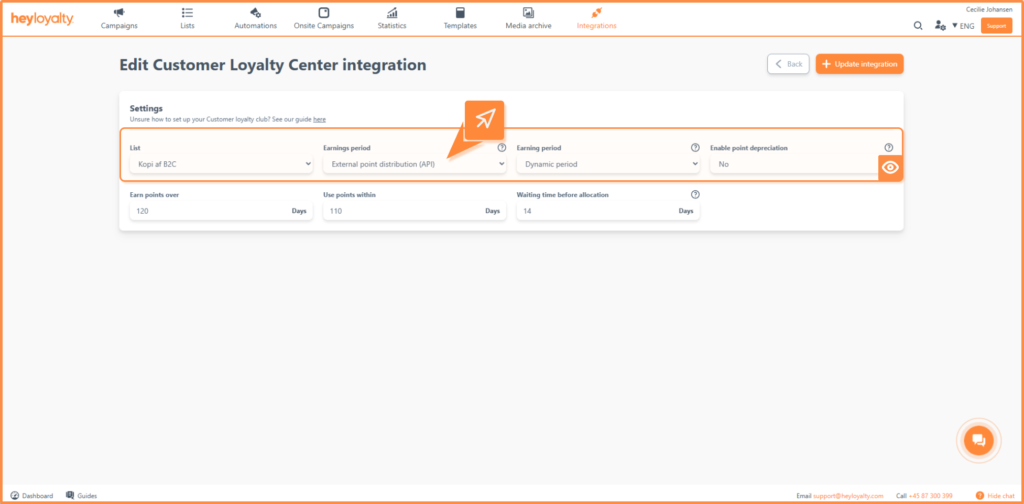
Once the integration is created, you need to fill in the following:
- List: Select the list you want to associate the integration with. Only contacts in this list will be assigned points.
- Earning type: Select External point sharing (API).
- Earning period: You can choose between two types:
- Fixed period: The period is set with specific start and end dates for both earning and using points. The system automatically updates the year when the period expires. Read more about the recommendation here.
- Dynamic period: The period is calculated individually for each customer based on their activity. Read more about the recommendation here.
- Enable score impairment: Here you can choose from the options below:
- No: Points can ONLY be written down by the customer using our “removePoints” function via the API removePoints endpoint.
- Yes: Points can be written down if included in tracking script or via CreateOrder endpoint
Edit your setup
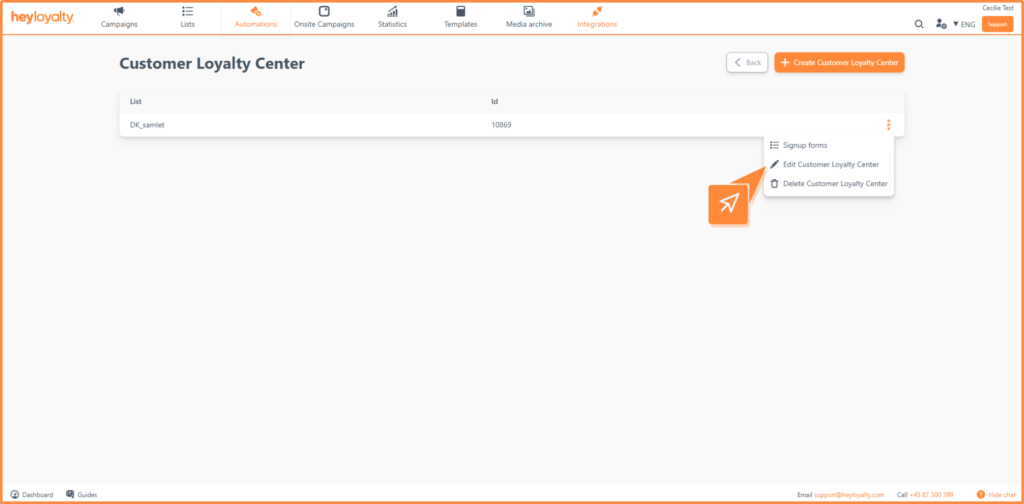
You can always change your integration by clicking the three dots next to the integration and selecting Edit Customer Loyalty Center.
Here you also have the option to delete the integration if necessary.
Get started using your points data
You are now ready to work with external points in Heyloyalty. By combining your points data with campaigns and automated flows, you can create more relevant and personalized communication to your recipients.
Use points to remind customers of their balance, create urgency or target messages to the most engaged customers.
The better you utilize your data, the more value you create for both your business and your customers 🚀

If you need information or help that you cannot find here on the guide site, you are always welcome to contact our support!
support@heyloyalty.com / tel. 87 300 399